Intelligent DesignHybrid Blue-LaserDual-Mode 3D ScanningBlue Laser PrecisionLaser & NIR ScanningProfessional Reverse Engineering
CCreality
Creality
Compact row for standout or scanner-specific features only.
# Creality CR-Scan Raptor Pro
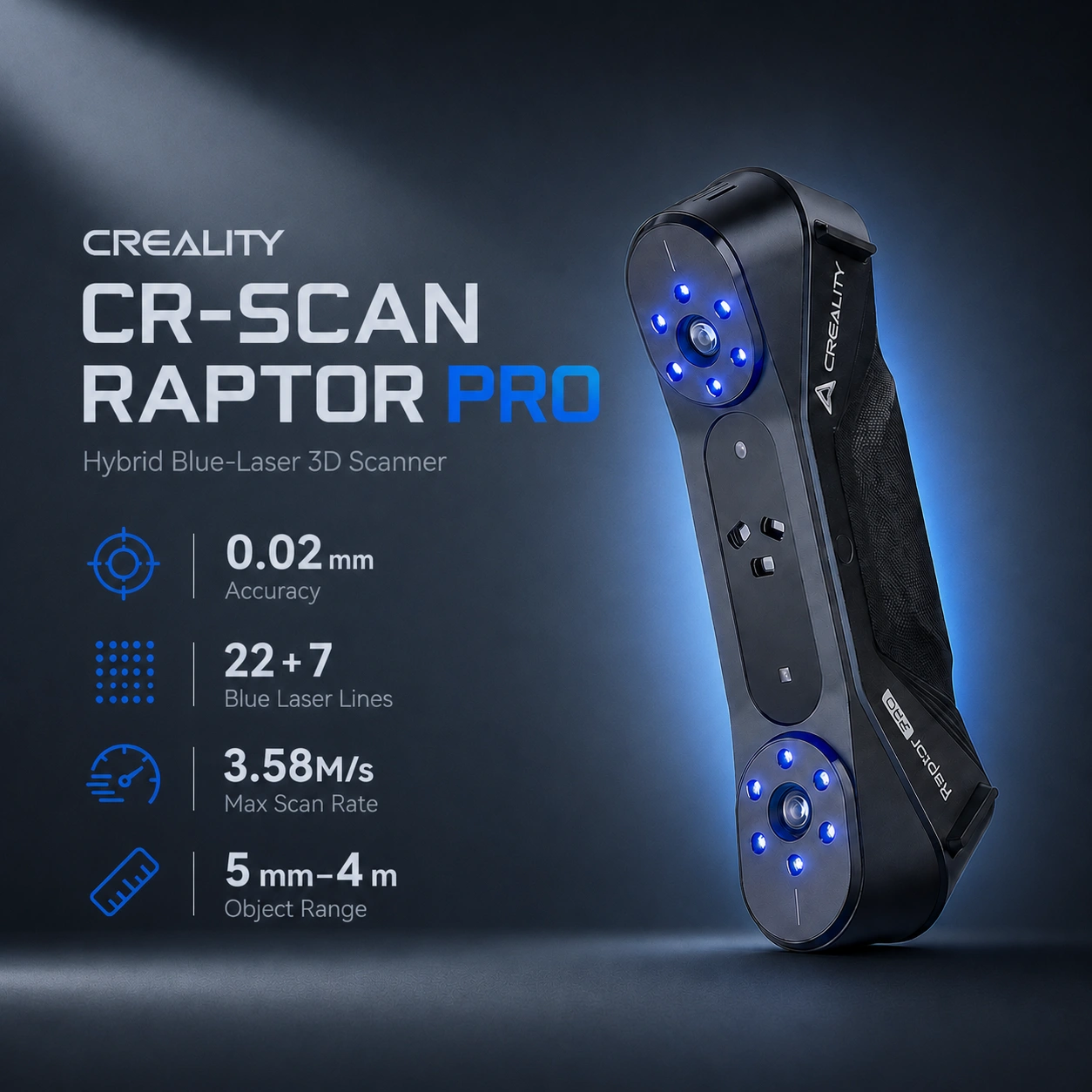
The Creality CR-Scan Raptor Pro is a professional handheld 3D scanner for reverse engineering, automotive scanning, dimensional capture, product development, additive manufacturing, tooling, and full-color digitization. It combines high-accuracy blue-laser scanning with NIR binocular structured light, covering detailed engineering parts as well as larger marker-free subjects.
Its blue-laser system uses 22 crossed laser lines for faster surface coverage and 7 parallel laser lines for fine details, edges, holes, and local geometry. NIR mode provides a much larger capture area and working distance for larger objects, faces, bodies, sculptures, and feature-rich targets.
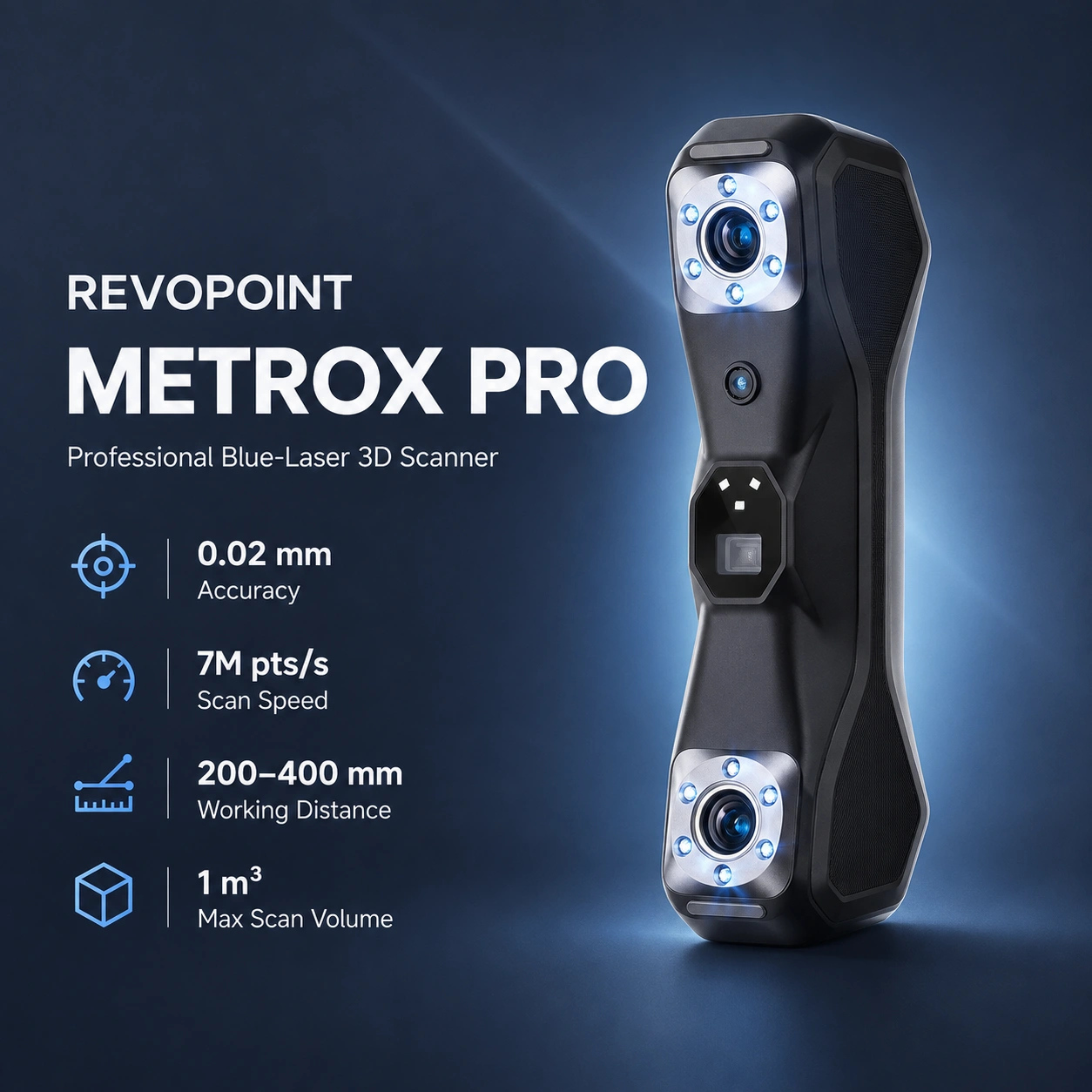
Compared with the original CR-Scan Raptor, the Pro adds 22 crossed laser lines, increases blue-laser coverage and speed, and extends the supported object range. Buyers comparing professional hybrid scanners can also consider the Revopoint MetroX Pro, which targets small-to-medium engineering work with blue laser and full-field structured light.
Note: Accuracy and scan-rate figures are manufacturer specifications. Practical results depend on calibration, surface properties, distance, lighting, tracking, computer performance, and operator technique.
| Specification | Value |
|---|---|
| Scanner Type | Handheld |
| Technology | Blue laser + NIR binocular structured light |
| Blue-Laser Accuracy | Up to 0.02 mm |
| Blue-Laser Volumetric Accuracy | 0.02 mm + 0.08 mm/m |
| NIR Accuracy | Up to 0.075 mm |
| NIR Volumetric Accuracy | 0.075 mm + 0.1 mm/m |
| Crossed Laser Lines | 22 |
| Parallel Laser Lines | 7 |
| Crossed-Laser Speed | Up to 660,000 measurements/s |
| Parallel-Laser Speed | Up to 420,000 measurements/s |
| NIR Scan Rate | Up to 3,580,000 measurements/s |
| Parallel-Laser Working Distance | 160–400 mm |
| Crossed-Laser Working Distance | 200–550 mm |
| NIR Working Distance | 170–1,000 mm |
| Maximum Crossed-Laser Capture Area | 397 × 290 mm at 500 mm |
| NIR Capture Area | 630 × 550 mm at 1,000 mm |
| Recommended Object Range | Approximately 5 mm–4 m |
| Color Capture | 24-bit full color |
| Weight | 405 g |
| Wired Connectivity | USB |
| Wireless Capability | Optional Scan Bridge |
| Software | Creality Scan |
| Export Formats | ASC, PLY, STL, OBJ |
Important: The 3,580,000 measurements/s maximum is the NIR scan rate. Blue-laser mode reaches up to 660,000 measurements/s crossed-line and 420,000 measurements/s parallel-line.
Blue-laser scanning is designed for high-accuracy engineering capture and requires circular reflective markers. Small parts can use markers on the surrounding scanning surface, while larger objects generally require markers on the object. Creality Scan also supports global-marker workflows for larger engineering projects.
NIR mode supports:
This makes NIR more practical for marker-free body, face, sculpture, artwork, and large-object capture.
Important: Marker-free scanning applies to suitable NIR workflows, not to blue-laser scanning.
For large objects such as automotive panels, users can capture the overall geometry at a coarser resolution and use blue-laser local-detail scanning on critical areas such as holes, edges, and mounting features. Smaller fusion distances retain more detail but increase processing time and memory use.
The blue-laser modes can scan many black, dark, and metallic surfaces without scanning spray, useful for automotive components, machined parts, tools, and dark engineering plastics. Transparent, mirror-like, or exceptionally reflective surfaces may still require surface preparation.
A high-definition RGB camera supports 24-bit full-color texture capture. Creality Scan can apply the captured color through its color-mapping workflow for digital archiving, visualization, and textured 3D models.
The Raptor Pro uses Creality Scan for acquisition, calibration, tracking, point-cloud processing, alignment, fusion, meshing, editing, texture mapping, and export.
These formats support common reverse-engineering, CAD reconstruction, mesh editing, inspection, and 3D-printing workflows. Scanned point clouds or meshes usually require cleanup and CAD reconstruction before being treated as controlled production geometry.
Prepared scan data can move into additive-manufacturing workflows after mesh repair, reconstruction, and slicing. Detailed resin parts may suit the Formlabs Form 4, while larger functional components may suit FDM platforms such as the Prusa CORE One+, Bambu Lab H2D, or Creality K2 Plus, depending on material, geometry, accuracy, and build volume.
The scanner supports wired USB operation. The optional Creality Scan Bridge adds wireless scanning and compatible mobile workflows.
Current Raptor Pro guidance lists:
A capable GPU, sufficient RAM, and fast SSD storage are particularly useful for high-resolution blue-laser scans and large point clouds.
Recommended use: For demanding automotive and reverse-engineering projects, use a modern NVIDIA GPU, at least 32 GB RAM, and fast SSD storage.
Raptor Pro can digitize mechanical components, housings, brackets, replacement parts, body panels, interior components, tooling, and existing products for CAD reconstruction or customization.
Blue-laser capture supports detailed geometry for inspection-oriented workflows, CAD comparison, prototyping, and product-development documentation. Manufacturer accuracy figures should not be interpreted as guaranteed tolerance for every inspection task.
Cleaned or reconstructed scans can support replacement parts, prototypes, fixtures, and customized components produced on systems such as the Formlabs Form 4, Prusa CORE One+, Bambu Lab H2D, or Creality K2 Plus.
NIR mode supports marker-free face, body, sculpture, artwork, and cultural-object scanning where larger-area natural-feature tracking is more important than maximum blue-laser precision.
| Feature | CR-Scan Raptor Pro | CR-Scan Raptor | Revopoint MetroX Pro |
|---|---|---|---|
| High-Accuracy Technology | Blue laser | Blue laser | Blue laser |
| Maximum Stated Accuracy | Up to 0.02 mm | Up to 0.02 mm | Up to 0.02 mm |
| Volumetric Accuracy | 0.02 mm + 0.08 mm/m | Manufacturer Raptor specification | 0.02 mm + 0.04 mm × L (m) |
| Crossed Laser Lines | 22 | None | 30 |
| Parallel Laser Lines | 7 | 7 | 15 |
| Maximum Laser-Mode Rate | 660,000 measurements/s | Lower than Raptor Pro | 2,000,000 points/s |
| Secondary Technology | NIR structured light | NIR structured light | Full-field blue structured light |
| Maximum Secondary-Mode Rate | 3,580,000 measurements/s | NIR workflow | 7,000,000 points/s |
| Published Object Range | Approximately 5 mm–4 m | Approximately 5 mm–2 m | 10 mm cube to 1 m cube |
| Primary Strength | Broad hybrid automotive and large-object workflow | Lower-cost hybrid scanning | Fast small/medium engineering scanning |
Note: Manufacturer scan-rate terminology and test methods differ, so measurements/s and points/s are not directly equivalent benchmarks.
Recommended use: Choose the CR-Scan Raptor Pro for a broad hybrid workflow combining high-accuracy blue-laser reverse engineering, automotive scanning, large-object NIR capture, and full-color scanning. Consider the Revopoint MetroX Pro when small-to-medium engineering parts, faster published laser acquisition, and stronger published volumetric accuracy are the priority.
Recommended use: The CR-Scan Raptor Pro is well suited to reverse engineering, automotive scanning, product development, tooling, and scan-to-print workflows that benefit from both 0.02 mm-class blue-laser capture and broader marker-free NIR scanning.
It combines 22 crossed and 7 parallel blue laser lines with NIR binocular structured-light scanning.
Creality specifies blue-laser accuracy up to 0.02 mm and NIR accuracy up to approximately 0.075 mm.
Blue-laser volumetric accuracy is 0.02 mm + 0.08 mm/m; NIR is approximately 0.075 mm + 0.1 mm/m.
Up to 660,000 measurements/s crossed-laser, 420,000 measurements/s parallel-laser, and 3,580,000 measurements/s NIR.
Creality specifies an approximate range from 5 mm to 4 m, with different modes suited to different sizes.
Yes. Circular reflective markers are required for blue-laser tracking.
Yes. NIR mode supports marker-free geometry and texture tracking on suitable objects.
Yes. Many black and metallic surfaces can be scanned directly in blue-laser mode, though difficult reflective or transparent surfaces may require preparation.
Yes. It supports 24-bit full-color texture capture and Creality Scan color mapping.
Yes. NIR mode is suitable for larger subjects including faces and bodies.
Yes, with the separately available Creality Scan Bridge and compatible mobile workflow.
It uses Creality Scan and exports ASC, PLY, STL, and OBJ.
Yes. Cleaned or reconstructed scan data can be used for CAD reconstruction and additive-manufacturing workflows.
The Raptor Pro covers a broader published object-size range and adds NIR body and large-object scanning, while the Revopoint MetroX Pro focuses on small-to-medium engineering capture with faster published laser acquisition and stronger volumetric accuracy.
Refer to Creality's current Raptor Pro user manual and Raptor-series Creality Scan documentation.