4 Color PrintingACE 2 Pro System65°C Filament DryingHigh Speed FDMAutomatic CalibrationMulti Color Desktop Printer
AAnycubic
Anycubic
# Anycubic Kobra 4 Combo
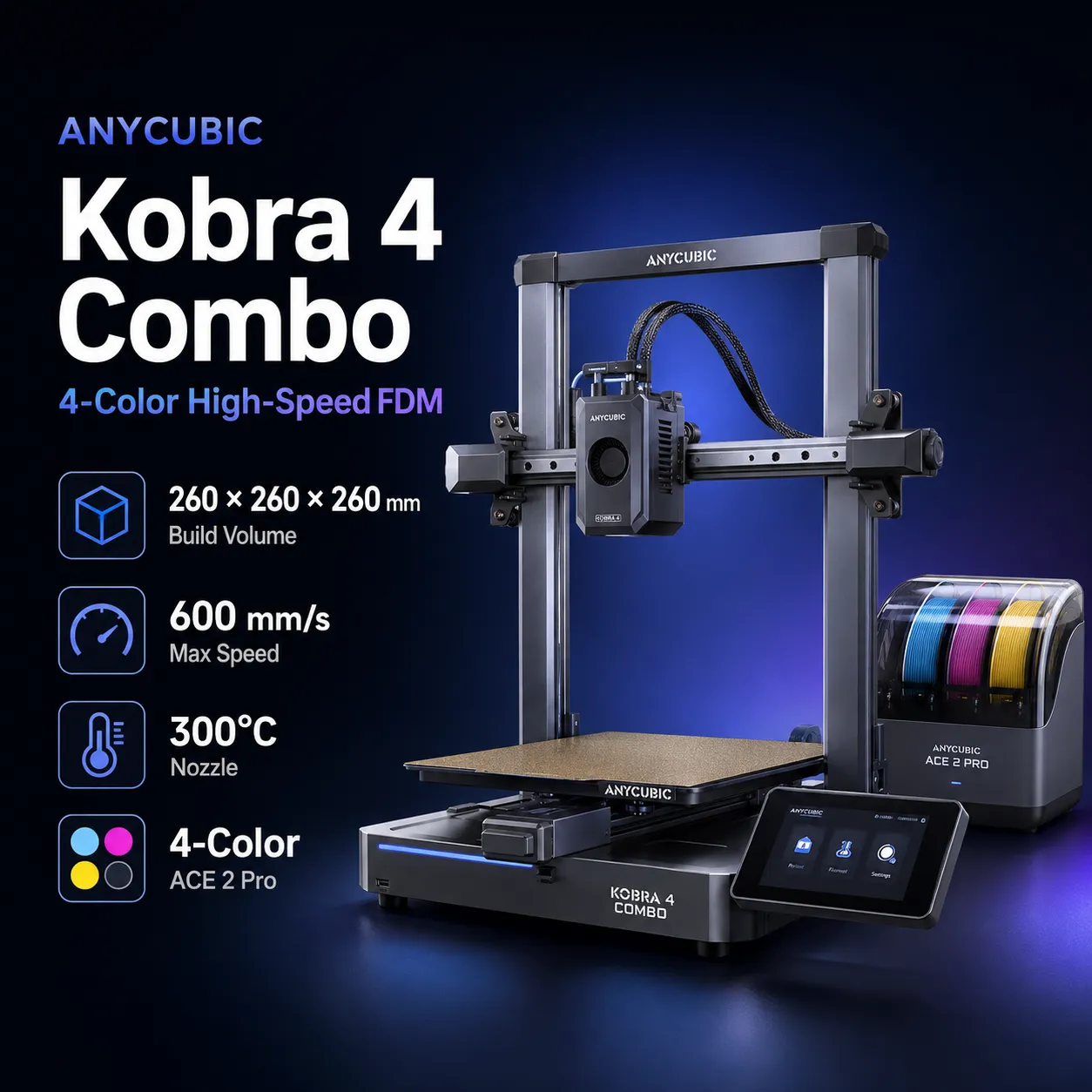
The Anycubic Kobra 4 Combo pairs the open-frame Kobra 4 FDM/FFF printer with one ACE 2 Pro filament system for automated four-color printing. The printer provides a 260 × 260 × 260 mm build volume, while the included ACE 2 Pro adds four filament channels and active drying up to 65°C during printing.
Anycubic rates the Kobra 4 for 300 mm/s recommended print speed, 600 mm/s maximum print speed, and 20,000 mm/s² maximum acceleration. The hotend reaches 300°C and ships with a 0.4 mm hardened-steel nozzle, with 0.25, 0.6, and 0.8 mm alternatives available. The heated PEI spring-steel bed reaches 100°C.
LeviQ 3.0 handles automatic leveling and Z-offset setup, while flow calibration, vibration compensation, filament monitoring, object skipping, and a built-in 720p camera add everyday automation. The printer also supports dual-band Wi-Fi, LAN operation, Anycubic Slicer Next, the Anycubic App, and USB printing.
The Combo includes one ACE 2 Pro for four colors. To reach eight colors, Anycubic specifies a second ACE 2 Pro plus the compatible eight-color filament hub.
For current specifications and pricing, see the official Anycubic Kobra 4 Combo page and the official ACE 2 Pro page.
| Specification | Value |
|---|---|
| Printing technology | FDM / FFF |
| Printer design | Open-frame gantry / bedslinger |
| Build volume | 260 × 260 × 260 mm |
| Standard nozzle | 0.4 mm hardened steel |
| Optional nozzle sizes | 0.25 / 0.6 / 0.8 mm |
| Maximum nozzle temperature | 300°C |
| Maximum bed temperature | 100°C |
| Build surface | PEI spring-steel plate |
| Recommended print speed | 300 mm/s |
| Maximum print speed | 600 mm/s |
| Recommended acceleration | 10,000 mm/s² |
| Maximum acceleration | 20,000 mm/s² |
| Extrusion | Short-distance direct drive |
| X axis | Linear rail |
| Y axis | Dual linear rods |
| Z axis | Single motor with twin guide rods |
| Bed leveling | LeviQ 3.0, 49-point automatic leveling |
| Z-offset | Automatic |
| Pressure Advance / flow calibration | Supported |
| Vibration compensation | Supported |
| Firmware | Kobra OS |
| Display | 3.5-inch capacitive touchscreen |
| Camera | Built-in 720p HD |
| Noise | ≤48 dB standard; ≤45 dB silent mode |
| Network | Dual-band Wi-Fi + LAN |
| Local transfer | USB |
| Printer dimensions | 455.4 × 445.3 × 461.3 mm |
| Printer weight | 9.9 kg |
| ACE 2 Pro dimensions | 368 × 291.5 × 236.5 mm |
| ACE 2 Pro weight | 3.7 kg |
| Multi-color capacity | 4 colors included; up to 8 with expansion |
| ACE 2 Pro drying | Up to 65°C, including print-while-drying |
Speed note: 600 mm/s is Anycubic's maximum print-speed specification. The manufacturer recommends 300 mm/s for general high-speed printing.
The Kobra 4 Combo uses the same printer platform as the standalone Kobra 4.
The difference is the included ACE 2 Pro.
The standalone Kobra 4 is a single-filament printer unless compatible multi-color hardware is added. The Combo package includes one ACE 2 Pro, giving the system four automated filament channels from the start.
ACE 2 Pro adds:
This makes the Combo the more complete purchase for users who already know they want multi-color printing.
One ACE 2 Pro provides four-color printing.
Anycubic's Kobra 4 FAQ specifies that eight-color printing requires:
The printer itself remains a single-nozzle system. During a color change, filament must be withdrawn and the next material loaded into the shared hotend.
That means multi-color printing still creates purge waste and transition time. The advantage of ACE 2 Pro is automation, drying, and material management rather than independent-tool, zero-purge printing.
ACE 2 Pro's strongest practical advantage over many open multi-color spool holders is its 65°C active drying.
Anycubic supports drying while the printer is running, which can help maintain consistency during long PLA and PETG jobs.
The system also monitors temperature and humidity and uses active moisture-control features to manage the storage environment.
Drying temperature should still match the filament. More heat is not automatically appropriate for every spool or polymer.
Anycubic currently recommends the following materials for Kobra 4:
The printer's 300°C hardened-steel hotend provides useful thermal and wear resistance, but the official Kobra 4 material list is more conservative than the broader list published for Anycubic Kobra X.
Anycubic explicitly states that TPU 95A is not compatible with the ACE 2 Pro feed path.
TPU can therefore be printed directly on Kobra 4, but buyers should not expect flexible filament to participate in the standard ACE 2 Pro four-color workflow.
For flexible parts, direct feeding is the appropriate approach.
The Kobra 4 uses LeviQ 3.0 with 49-point automatic leveling and automatic Z-offset preparation.
Anycubic also publishes leveling repeatability below 0.02 mm under its test conditions.
The system combines multiple measurement points into the compensation model rather than relying on manual adjustment across the build surface.
Automatic leveling improves first-layer consistency, but a clean PEI surface and correct filament temperature remain important.
Kobra OS includes flow dynamic calibration that adjusts extrusion behavior to reduce over- and under-extrusion as printing conditions change.
A built-in accelerometer is used for vibration compensation, helping reduce ringing and ghosting at higher motion speeds.
These systems are especially relevant on a 600 mm/s-class bedslinger, where motion and extrusion tuning can have a large effect on visible print quality.
The printer includes a 720p camera and Anycubic lists AI spaghetti detection as supported.
Other reliability features include:
AI monitoring can reduce the risk of wasting an entire long print, but it should be treated as an assistance feature rather than a guarantee that every failure will be detected.
Anycubic publishes noise figures of:
These are manufacturer laboratory figures and can vary with print speed, fans, acceleration, table resonance, and the model being printed.
ACE 2 Pro also produces additional noise while feeding and drying, so the complete Combo may sound different from the printer operating alone.
The Kobra 4 uses Anycubic Slicer Next and integrates with the Anycubic App.
Anycubic currently documents:
The ability to use LAN mode is useful for users who want network printing without depending entirely on an internet-connected cloud workflow.
| Printer | Build Volume | Speed Figure | Nozzle / Bed | Multi-Color System | Filament Drying |
|---|---|---|---|---|---|
| Anycubic Kobra 4 Combo | 260 × 260 × 260 mm | 600 mm/s max print | 300°C / 100°C | ACE 2 Pro, 4 colors; up to 8 | 65°C active drying |
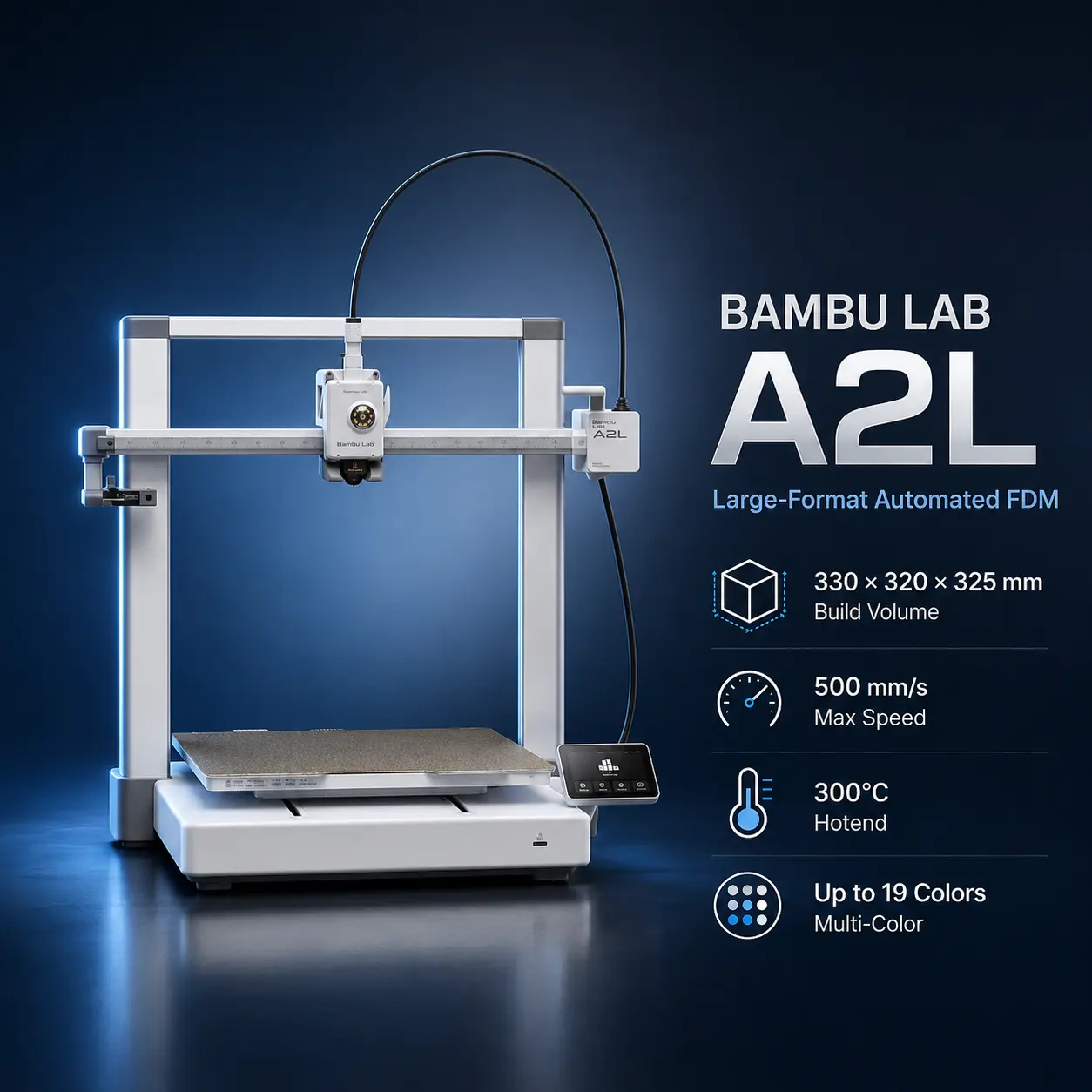
| Bambu Lab A1 | 256 × 256 × 256 mm | 500 mm/s max toolhead | 300°C / 100°C | AMS lite, 4 colors | No active dryer in AMS lite |
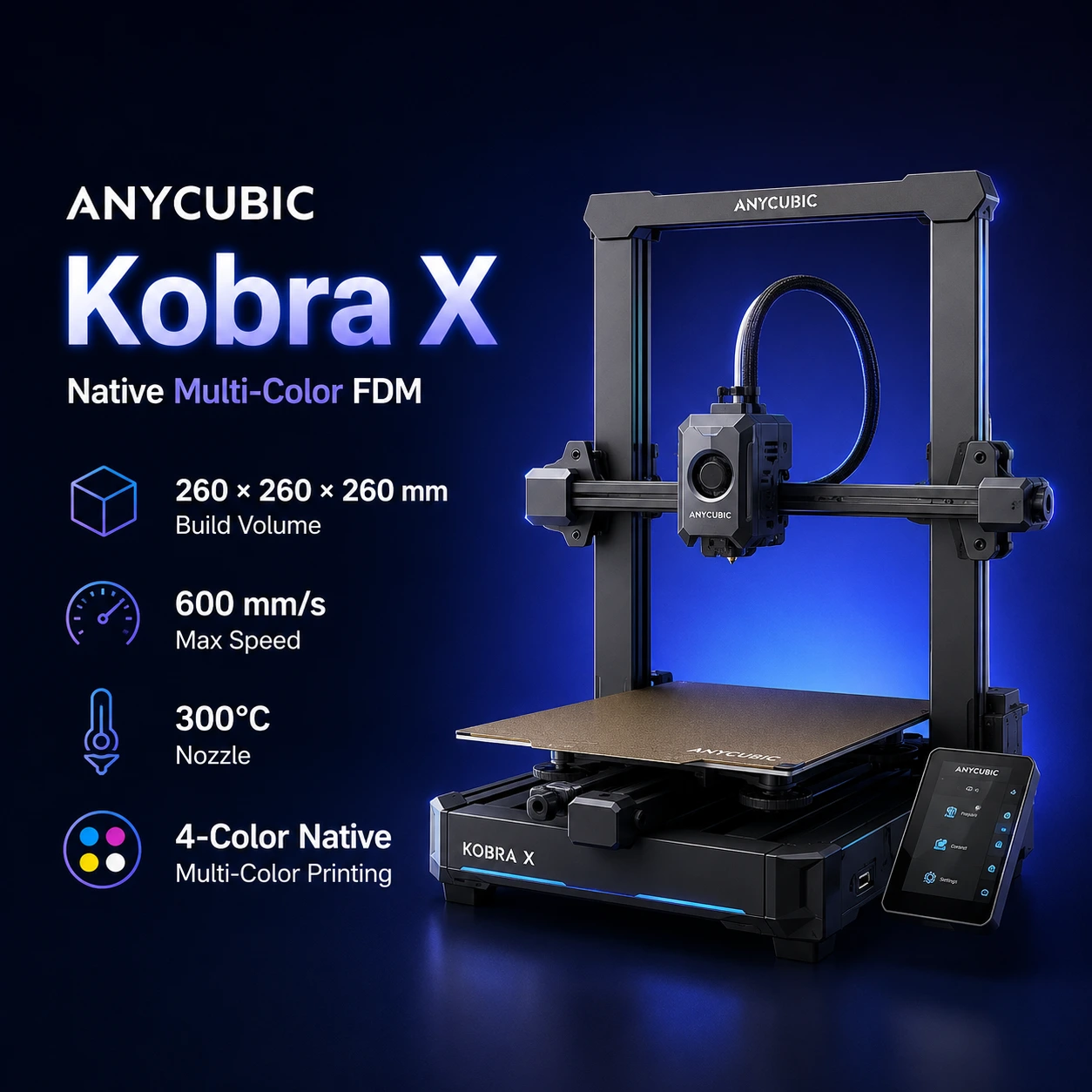
| Anycubic Kobra X | 260 × 260 × 260 mm | 600 mm/s max print | 300°C / 100°C | Native 4-color; up to 19 | Optional ACE 2 Pro |
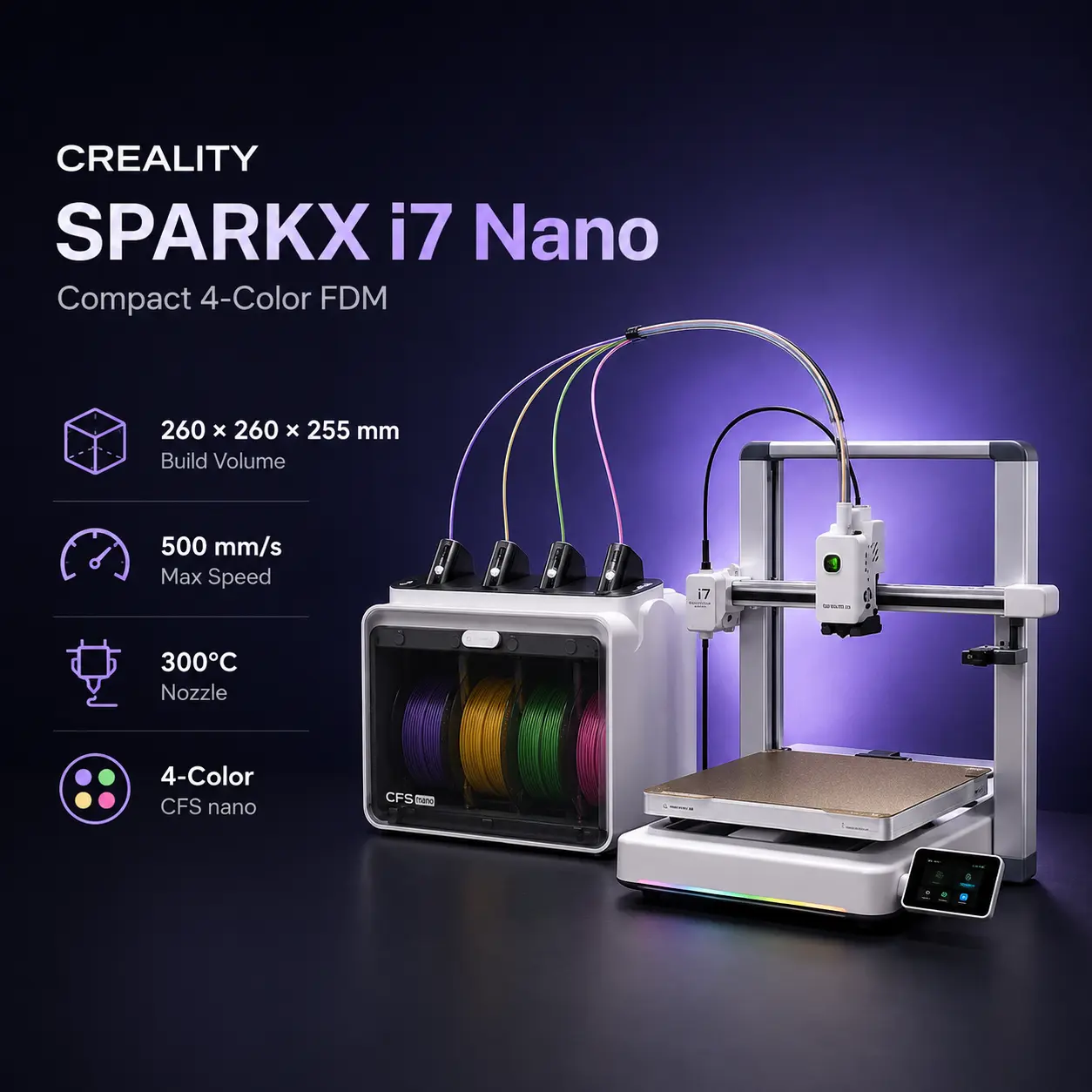
| Creality SPARKX i7 Nano | 260 × 260 × 255 mm | 500 mm/s max print | 300°C / 100°C | CFS Nano, 4 colors | Open-spool Nano system |
| Bambu Lab P2S | 256 × 256 × 256 mm | 600 mm/s max toolhead | 300°C / 110°C | AMS ecosystem | AMS 2 Pro supports drying |
Kobra 4 Combo's clearest advantages are the included 65°C drying system, 260 mm cubic build volume, 600 mm/s headline speed, and hardened-steel nozzle. Its main limitation is the open-frame chassis and relatively narrow official material list.
The Anycubic Kobra 4 Combo vs Bambu Lab A1 Combo comparison is one of the closest buying decisions in this price class.
The Bambu Lab A1 provides a 256 × 256 × 256 mm build volume, 500 mm/s maximum toolhead speed, 300°C hotend, 100°C bed, automatic calibration, active flow-rate compensation, and optional four-color printing through AMS lite.
Kobra 4 Combo is slightly larger at 260 mm in each axis and publishes a higher 600 mm/s maximum print speed. Its included ACE 2 Pro also adds 65°C active filament drying, which AMS lite does not provide.
A1 has the advantage of Bambu's mature AMS lite, Bambu Studio, and MakerWorld ecosystem, plus its active nozzle-pressure-based flow compensation.
Choose Kobra 4 Combo when active filament drying, a hardened-steel nozzle, slightly larger build volume, and Anycubic's current bundle pricing matter most.
Choose Bambu Lab A1 Combo when the Bambu software ecosystem and established AMS lite workflow are the higher priority.
The Kobra 4 Combo vs Kobra X comparison is especially important because both use a 260 × 260 × 260 mm build volume, 300°C hardened-steel nozzle, 100°C bed, 300 mm/s recommended speed, and 600 mm/s maximum speed.
The Anycubic Kobra X is the more advanced multi-color platform.
Anycubic gives Kobra X:
Kobra 4 Combo is simpler and currently cheaper. Its ACE 2 Pro gives it active drying out of the box, but it tops out at eight colors.
Choose Kobra 4 Combo for a straightforward four-color setup with active drying and lower entry cost.
Choose Kobra X when multi-color expansion, mixed-material flexibility, and Anycubic's newer ACE GEN 2 architecture justify the step up.
The Anycubic Kobra 4 Combo vs Creality SPARKX i7 Nano comparison covers two compact open-frame multi-color systems.
Creality's official SPARKX i7 Nano pairs a 260 × 260 × 255 mm SPARKX i7 with the compact four-channel CFS Nano system. The printer publishes a 500 mm/s maximum speed, 300°C hotend, 100°C bed, full-auto leveling, and a 720p AI camera.
Kobra 4 Combo provides 5 mm more Z height, a higher 600 mm/s headline print speed, and ACE 2 Pro's 65°C active drying.
SPARKX i7 Nano emphasizes a compact CFS Nano arrangement, quick-swap maintenance, AI monitoring, and Creality's lightweight home-oriented workflow.
Choose Kobra 4 Combo when active drying and eight-color expandability matter. Choose SPARKX i7 Nano when the compact Creality ecosystem and its i7 automation features are more appealing.
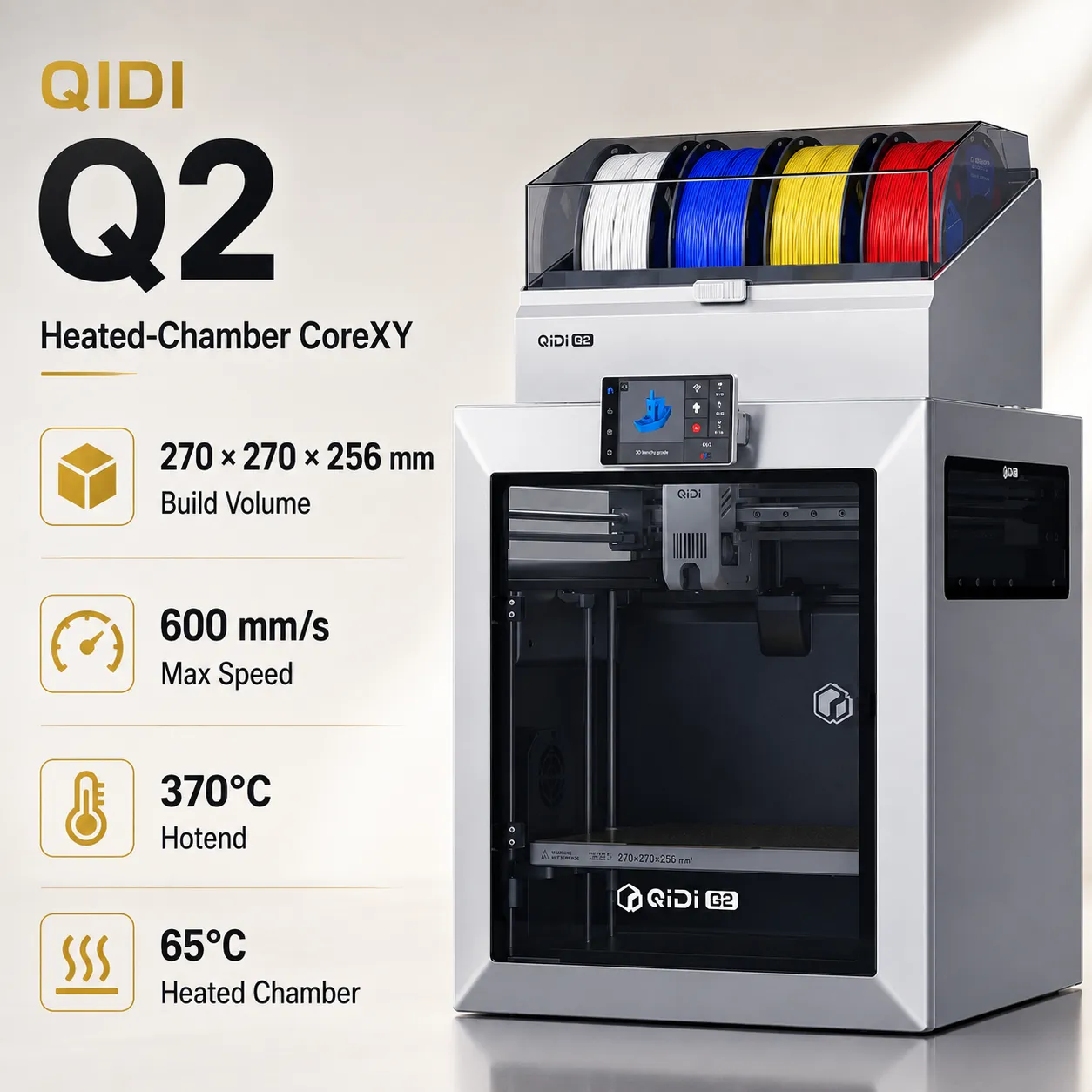
The Bambu Lab P2S is a more expensive enclosed alternative rather than a direct open-frame competitor.
P2S provides a 256 × 256 × 256 mm volume, 600 mm/s maximum toolhead speed, 20,000 mm/s² acceleration, 300°C hardened-steel nozzle, 110°C bed, 1080p camera, and support for ABS, ASA, PC, PA and numerous fiber-reinforced filaments.
Kobra 4 Combo has a slightly larger build volume and a lower entry price, while ACE 2 Pro provides drying and four-color printing in the standard Combo.
Choose Kobra 4 Combo for affordable PLA/PETG multi-color printing.
Choose P2S when an enclosure, broader engineering-material support, a stronger AMS ecosystem, and reinforced-material capability justify the higher purchase price.
Anycubic currently lists the Kobra 4 Combo from US$379, approximately €327 in Europe, £280 in the UK, C$527 in Canada, A$535 in Australia, ₹36,302 in India, and AED 1,392 in the UAE. The standard Combo includes the Kobra 4 printer and one ACE 2 Pro for four-color printing and filament drying. Actual pricing may vary by region due to local taxes, shipping costs, stock availability, promotional filament bundles, retailer pricing, and ongoing discounts.
It is the Kobra 4 printer bundled with one ACE 2 Pro for four-color printing and active filament drying.
260 × 260 × 260 mm.
Anycubic specifies 600 mm/s maximum and recommends 300 mm/s for general use.
20,000 mm/s².
A 0.4 mm hardened-steel nozzle.
300°C.
100°C.
Four through the included ACE 2 Pro.
Add a second ACE 2 Pro and the compatible eight-color filament hub.
Yes. It provides active drying up to 65°C and supports drying while printing.
PLA, PETG and TPU 95A.
No. Anycubic specifically states that TPU 95A is not compatible with the ACE 2 Pro feed path.
Yes. LeviQ 3.0 uses 49-point automatic leveling and automatic Z-offset preparation.
Yes. A built-in 720p camera supports monitoring and timelapse functions.
Yes. Anycubic currently documents dual-band Wi-Fi plus LAN connectivity.
Kobra 4 Combo is slightly larger, publishes a higher 600 mm/s maximum print speed, and includes 65°C filament drying. A1 Combo emphasizes Bambu's mature AMS lite and software ecosystem.
Both share a 260 mm cube and 600 mm/s maximum speed, but Kobra X uses Anycubic's newer native multi-color architecture and expands to more colors and materials.
Anycubic currently lists the Kobra 4 Combo from US$379 — about €327, £280, C$527, A$535, ₹36,302, or AED 1,392. The Combo includes the Kobra 4 + one ACE 2 Pro. Regional pricing may vary with taxes, shipping, stock, bundles, and promotions.