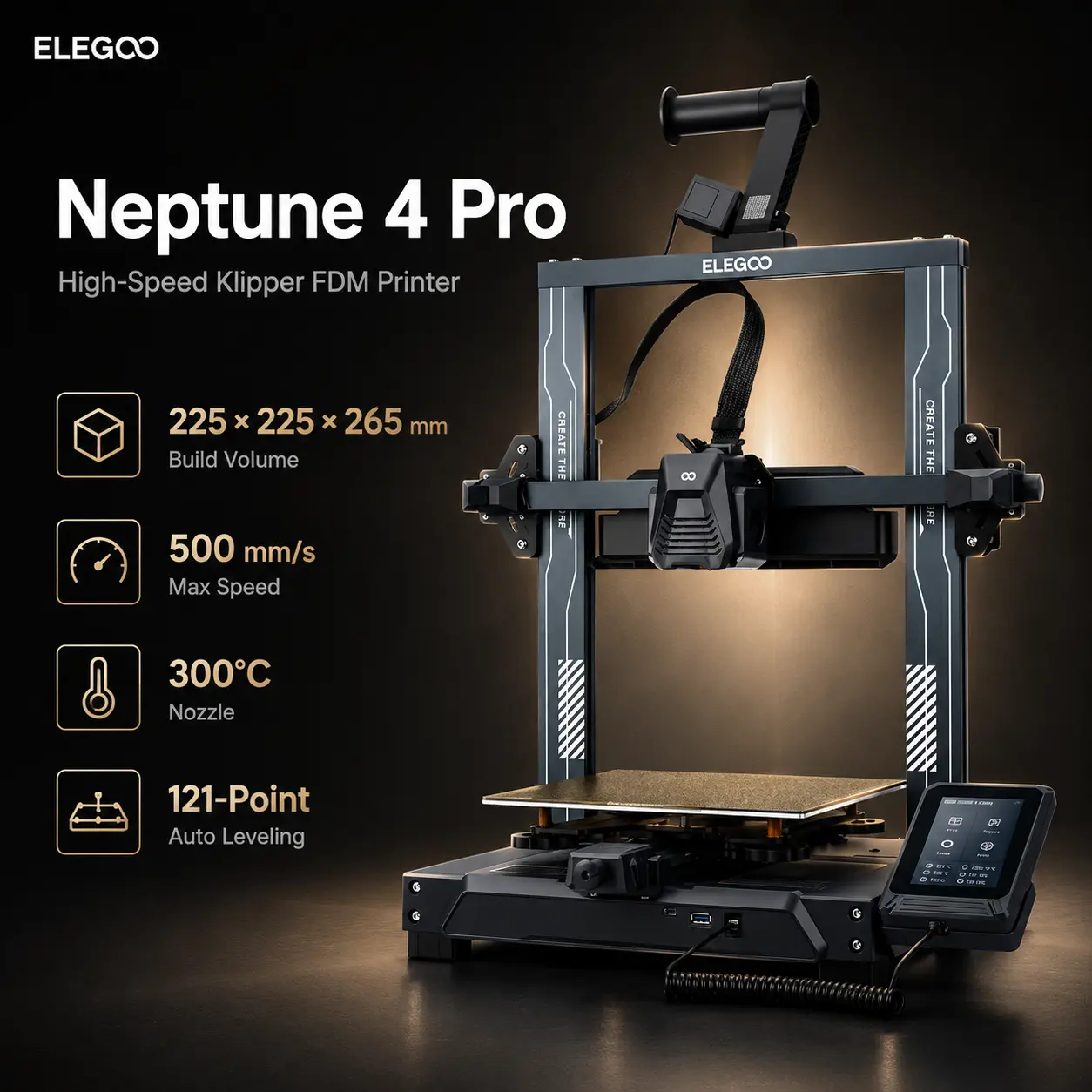
500 mm/s High-Speed PrintingKlipper-Powered Motion Control121-Point Auto LevelingSegmented Heated Bed300°C High-Temp NozzleDual-Gear Direct Drive
EELEGOO
ELEGOO
# ELEGOO Neptune 4 Pro
The ELEGOO Neptune 4 Pro is an open-frame high-speed FDM/FFF printer built around Klipper firmware, a direct-drive extruder, a segmented heated bed, and a 225 × 225 × 265 mm build volume. It is aimed at hobby users, students, prototyping teams, and makers who want a relatively inexpensive fast printer without moving to an enclosed CoreXY platform.
ELEGOO rates the Neptune 4 Pro for 30–500 mm/s printing, with current Type-C documentation listing 0.10–0.40 mm layer heights, a 300°C hotend, 110°C heated bed, and up to 20,000 mm/s² acceleration. The current US Type-C version also supports OTA firmware updates.
The Pro model's main hardware distinction from the standard Neptune 4 is its intelligent segmented heatbed. A 120 × 120 mm center zone can be heated independently for smaller parts, while the outer zone activates when the model requires more bed area. That can reduce unnecessary bed heating without reducing the full 235 × 235 mm platform area.
For current specifications and pricing, see the official ELEGOO Neptune 4 Pro page and ELEGOO Neptune-series support resources.
| Specification | Value |
|---|---|
| Printing technology | FDM / FFF |
| Printer design | Open-frame Cartesian / bed-slinger |
| Build volume | 225 × 225 × 265 mm |
| Printing platform area | 235 × 235 mm |
| Layer height | 0.10–0.40 mm |
| Recommended layer height | 0.20 mm |
| Print precision | ±0.1 mm manufacturer specification |
| Print speed | 30–500 mm/s |
| Maximum toolhead speed | 500 mm/s |
| Maximum acceleration | 20,000 mm/s² |
| Standard nozzle | 0.4 mm brass |
| Maximum nozzle temperature | 300°C |
| Maximum bed temperature | 110°C |
| Heatbed | Segmented, 100 W + 150 W |
| Center heat zone | 120 × 120 mm |
| Extruder | Dual-gear direct drive |
| Extruder reduction ratio | 5.2:1 |
| Heatbreak | Copper-titanium bi-metal |
| Bed leveling | 121-point / 11 × 11 automatic mesh |
| Z axis | Dual lead screws + dual motors |
| Firmware | Klipper |
| Motion tuning | Input shaping + pressure advance |
| Connectivity | Wired LAN / USB |
| Remote access | LAN web terminal |
| Filament detection | Yes |
| Resume printing | Yes |
| Machine dimensions | 475 × 445 × 515 mm |
| Maximum operating footprint | 475 × 550 × 735 mm including rack/tray |
| Net weight | 8.9 kg |
| Input voltage | 115 / 230 V, 50 / 60 Hz |
| Current US version | Type-C with OTA firmware updates |
Maximum speed is a motion-system capability, not a guarantee that every model or material should be printed at 500 mm/s. Practical throughput depends on filament flow, nozzle size, layer height, acceleration, cooling, and geometry.
Neptune 4 Pro ships with Klipper already installed on an ARM-based controller.
It supports input shaping to reduce ringing and pressure advance to stabilize extrusion through speed changes. These features improve high-speed print quality but do not remove hotend-flow, cooling, filament, or bed-slinger limits.
The current Type-C version adds OTA firmware updates, while older ribbon-cable hardware uses different replacement parts and firmware packages. Buyers sourcing spares should match parts to the correct hardware revision.
The segmented bed is the clearest reason to choose the Pro over the standard Neptune 4.
ELEGOO divides bed heating into:
The heater is rated 100 W + 150 W.
Small models can use only the center zone, while larger jobs activate the outer area; both zones can also be controlled manually. This reduces unnecessary bed heating on compact parts.
The printable area remains 225 × 225 mm, while the physical PEI platform area is 235 × 235 mm.
The Type-C version includes an upgraded dual-sided spring-steel plate.
One side uses textured PEI, while the other is a PLA-specific surface intended to provide strong PLA adhesion at lower bed temperatures.
This gives users two build-surface options on one removable sheet. Keep both surfaces clean and follow material-specific bed-temperature guidance.
The Neptune 4 Pro uses a 5.2:1 dual-gear direct-drive extruder.
The short filament path is useful for TPU and extrusion control. The hotend uses a copper-titanium bi-metal throat and is rated to 300°C.
ELEGOO currently lists:
For common functional printing, Prusament PETG is a relevant low-warp rigid material, while Prusament TPU 95A illustrates the type of flexible filament a direct-drive machine can handle.
The 300°C hotend and 110°C bed allow the Neptune 4 Pro to process higher-temperature filaments, but the printer remains open-frame.
ELEGOO specifically recommends using an enclosure for ABS and ASA.
Larger ABS and ASA parts benefit from stable ambient temperature and protection from drafts. Prusament ASA, for example, benefits from an enclosure and appropriate ventilation.
Nylon also benefits from careful drying and stable conditions, so the Neptune 4 Pro is better viewed as an experimentation platform than a dedicated engineering-material printer.
The standard supported-material set focuses on PLA, TPU, PETG, ABS, ASA, and Nylon, while the Type-C configuration uses a 0.4 mm brass nozzle.
Abrasive carbon- or glass-fiber-filled materials wear brass nozzles quickly. Use compatible wear-resistant hardware and a validated profile, or consider the indexed ELEGOO Centauri Carbon.
For broader context, see Best 3D Printers for Carbon-Fiber Materials in 2026.
The Neptune 4 Pro uses an 11 × 11 / 121-point automatic bed mesh.
The mesh compensates for small surface variation, but correct Z offset and mechanical bed alignment still matter.
Neptune 4 Pro combines two 4015 toolhead fans with four 4020 rear auxiliary fans for high-speed cooling. This helps PLA overhangs and bridges but should be reduced for materials such as ABS, ASA, and some nylons that need slower cooling.
Neptune 4 Pro supports wired LAN and USB, not built-in Wi-Fi.
Ethernet provides access to the local web terminal for monitoring and control, which suits users who prefer a local Klipper workflow.
Users who specifically need integrated wireless control should compare newer platforms such as the indexed Bambu Lab A1, Anycubic Kobra X, or ELEGOO Centauri Carbon.
| Printer | Build Volume | Max Speed | Nozzle / Bed | Enclosure | Multi-Color | Main Advantage |
|---|---|---|---|---|---|---|
| ELEGOO Neptune 4 Pro | 225 × 225 × 265 mm | 500 mm/s | 300°C / 110°C | No | No native system | Low price + Klipper + segmented bed |
| ELEGOO Neptune 4 | 225 × 225 × 265 mm | 500 mm/s | 300°C / 110°C | No | No native system | Lower-cost same-size sibling |
| ELEGOO Neptune 4 Plus | 320 × 320 × 385 mm | 500 mm/s | 300°C / 100°C | No | No native system | Much larger build volume + Wi-Fi |
| Bambu Lab A1 | 256 × 256 × 256 mm | 500 mm/s toolhead | 300°C / 100°C | No | AMS lite optional | Automation + software ecosystem |
| Anycubic Kobra X | 260 × 260 × 260 mm | 600 mm/s | 300°C / 100°C | No | Native 4; up to 19 | Multi-color + AI monitoring |
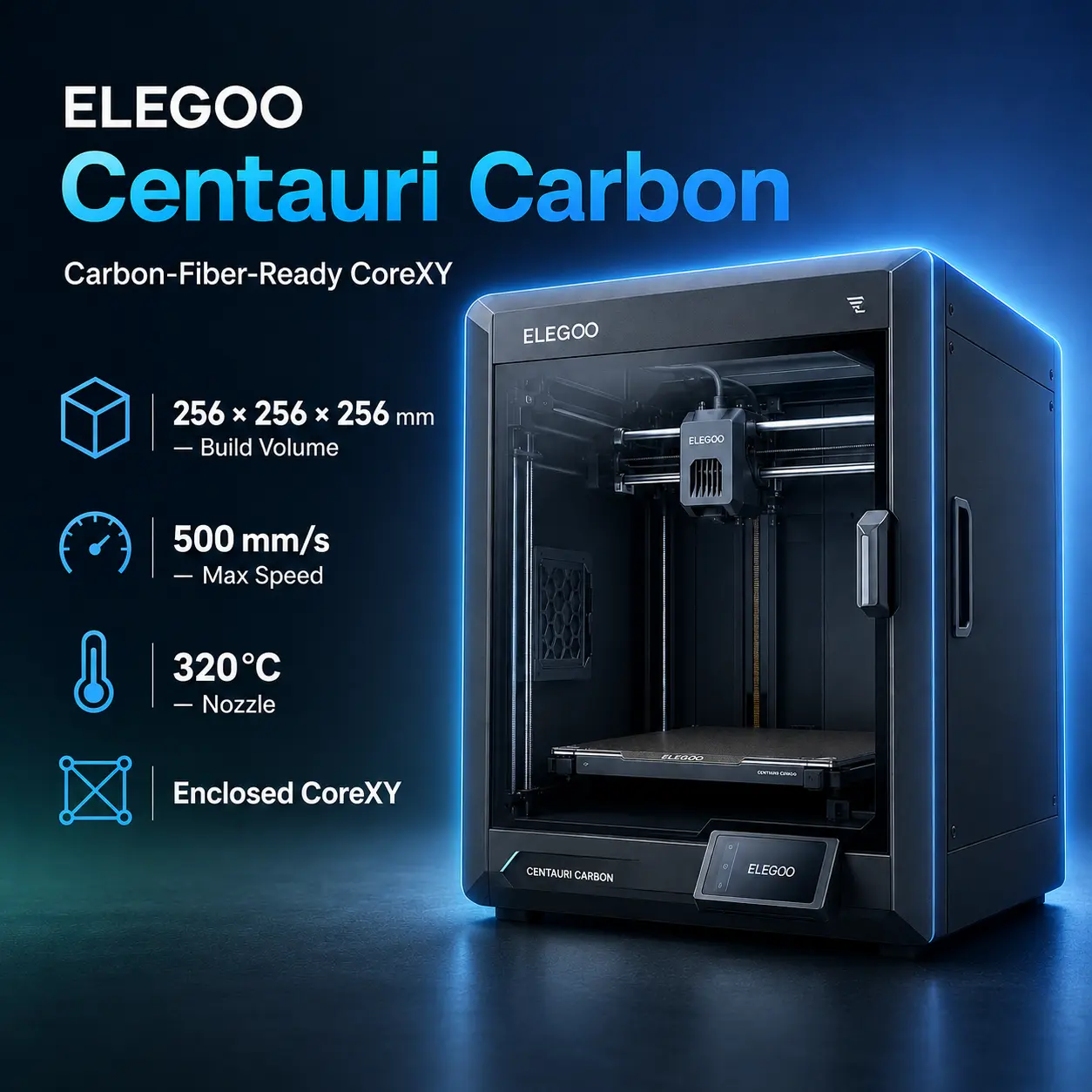
| ELEGOO Centauri Carbon | 256 × 256 × 256 mm | 500 mm/s | 320°C / 110°C | Yes | Optional expansion | Enclosed CoreXY + reinforced materials |
Neptune 4 Pro competes on price and Klipper access; newer rivals add cameras, wireless control, multi-color systems, or enclosures.
The Neptune 4 Pro vs Neptune 4 comparison is simple because both share the 225 × 225 × 265 mm volume, 500 mm/s speed, 20,000 mm/s² acceleration, 300°C hotend, 110°C bed, direct drive, Klipper, 121-point leveling, LAN/USB, filament detection, and power-loss resume.
The Pro's main advantage is the 100 W + 150 W segmented heatbed with a 120 × 120 mm center zone; the standard Neptune 4 uses conventional full-bed heating.
Choose Neptune 4 when minimum purchase price matters most. Choose Neptune 4 Pro when the segmented heatbed is worth the modest premium.
See the official ELEGOO Neptune 4 page for the sibling model.
The Neptune 4 Pro vs Neptune 4 Plus comparison is mainly compact segmented-bed value versus large-format capacity.
The Neptune 4 Plus expands the build volume to 320 × 320 × 385 mm and adds Wi-Fi alongside network/USB transfer. It keeps a 500 mm/s maximum speed and 300°C hotend, but its published maximum acceleration is 12,000 mm/s² and the current specification lists a 100°C bed.
Choose Neptune 4 Pro for the lower price, smaller footprint, 110°C segmented bed, and higher maximum acceleration. Choose Neptune 4 Plus when the much larger build area and integrated Wi-Fi matter more.
See the official ELEGOO Neptune 4 Plus page.
The Neptune 4 Pro vs Bambu Lab A1 comparison is low-cost Klipper flexibility versus a more automated ecosystem.
The indexed Bambu Lab A1 provides a larger 256 × 256 × 256 mm build volume, 500 mm/s maximum toolhead speed, 10,000 mm/s² maximum acceleration, 300°C hotend, 100°C bed, automatic calibration, active flow-rate compensation, Wi-Fi/LAN workflows, a built-in camera, and optional AMS lite four-color printing.
Neptune 4 Pro offers a taller 265 mm Z axis, a hotter 110°C bed, higher 20,000 mm/s² maximum acceleration, Klipper access, wired LAN control, and a much lower current US purchase price.
Choose Neptune 4 Pro for value, Klipper tuning, and the segmented bed. Choose Bambu Lab A1 for automatic calibration, camera monitoring, wireless control, AMS lite, and a more integrated software experience.
See the official Bambu Lab A1 page for current manufacturer specifications.
The Neptune 4 Pro vs Anycubic Kobra X comparison highlights how much the entry-level market has changed.
The indexed Anycubic Kobra X provides a 260 × 260 × 260 mm build volume, 600 mm/s maximum print speed, 20,000 mm/s² acceleration, a 300°C hardened-steel nozzle, 100°C PEI bed, 720p camera, LeviQ 3.0 leveling, native four-color printing, and expansion to 19 colors.
Neptune 4 Pro is smaller in XY but slightly taller, uses a brass nozzle, and lacks native multi-color and camera monitoring. Its strengths are price, Klipper access, segmented heating, and a simple single-filament workflow.
Choose Kobra X for multi-color printing, camera/AI monitoring, hardened nozzle hardware, and larger XY capacity. Choose Neptune 4 Pro for lower cost and a straightforward Klipper-centered workflow.
See the official Anycubic Kobra X page.
The Neptune 4 Pro vs Centauri Carbon comparison shows the jump from ELEGOO's older open bed-slinger architecture to a newer enclosed CoreXY platform.
The indexed ELEGOO Centauri Carbon provides:
Neptune 4 Pro is substantially cheaper and slightly taller in Z while retaining Klipper, direct drive, and the segmented bed.
Choose Neptune 4 Pro for inexpensive PLA/PETG/TPU prototyping and users who want direct Klipper access. Choose Centauri Carbon when enclosure, camera monitoring, automatic calibration, and reinforced-material capability justify the higher cost.
See the official ELEGOO Centauri Carbon page for current specifications.
For hobby and functional-part guidance, see Best 3D Printers for RC Cars and Hobby Parts in 2026.
The ELEGOO Neptune 4 Pro Type-C version currently starts from US$229 in USA, approximately €196 in Europe, £168 in the UK, C$315 in Canada, A$321 in Australia, ₹21,912 in India, and AED 841 in the UAE.
Actual pricing may vary by region depending on VAT or local taxes, shipping costs, exchange rates, stock availability, hardware revision, regional bundles, and promotional discounts. The final checkout price may therefore differ from the figures shown above.
225 × 225 × 265 mm.
ELEGOO lists a 235 × 235 mm PEI platform area.
ELEGOO lists 0.10–0.40 mm, with 0.20 mm recommended.
500 mm/s, with a published 30–500 mm/s print-speed range.
20,000 mm/s².
Yes. Klipper is pre-installed.
Yes.
300°C.
110°C.
It uses a segmented 100 W + 150 W heating design with a 120 × 120 mm center zone that can operate separately for small prints.
Yes. It uses an 11 × 11 / 121-point bed mesh.
PLA, TPU, PETG, ABS, ASA, and Nylon.
Yes. ELEGOO recommends an enclosure for those materials.
The stock Type-C nozzle is brass. Abrasive reinforced filament should use suitable wear-resistant hardware and a validated profile.
No built-in Wi-Fi is listed for Neptune 4 Pro. It supports wired LAN and USB.
Yes. Resume printing is supported.
Their core build volume, speed, temperatures, Klipper workflow, and leveling system are very similar. The Pro's main differentiator is its segmented heated bed.
Neptune 4 Pro is cheaper, uses Klipper, has a hotter bed, and reaches higher maximum acceleration. A1 provides more automation, a larger XY build area, a camera, wireless connectivity, and optional AMS lite multi-color printing.
Kobra X is larger in XY, faster on paper, includes hardened nozzle hardware and native multi-color printing. Neptune 4 Pro is less expensiv