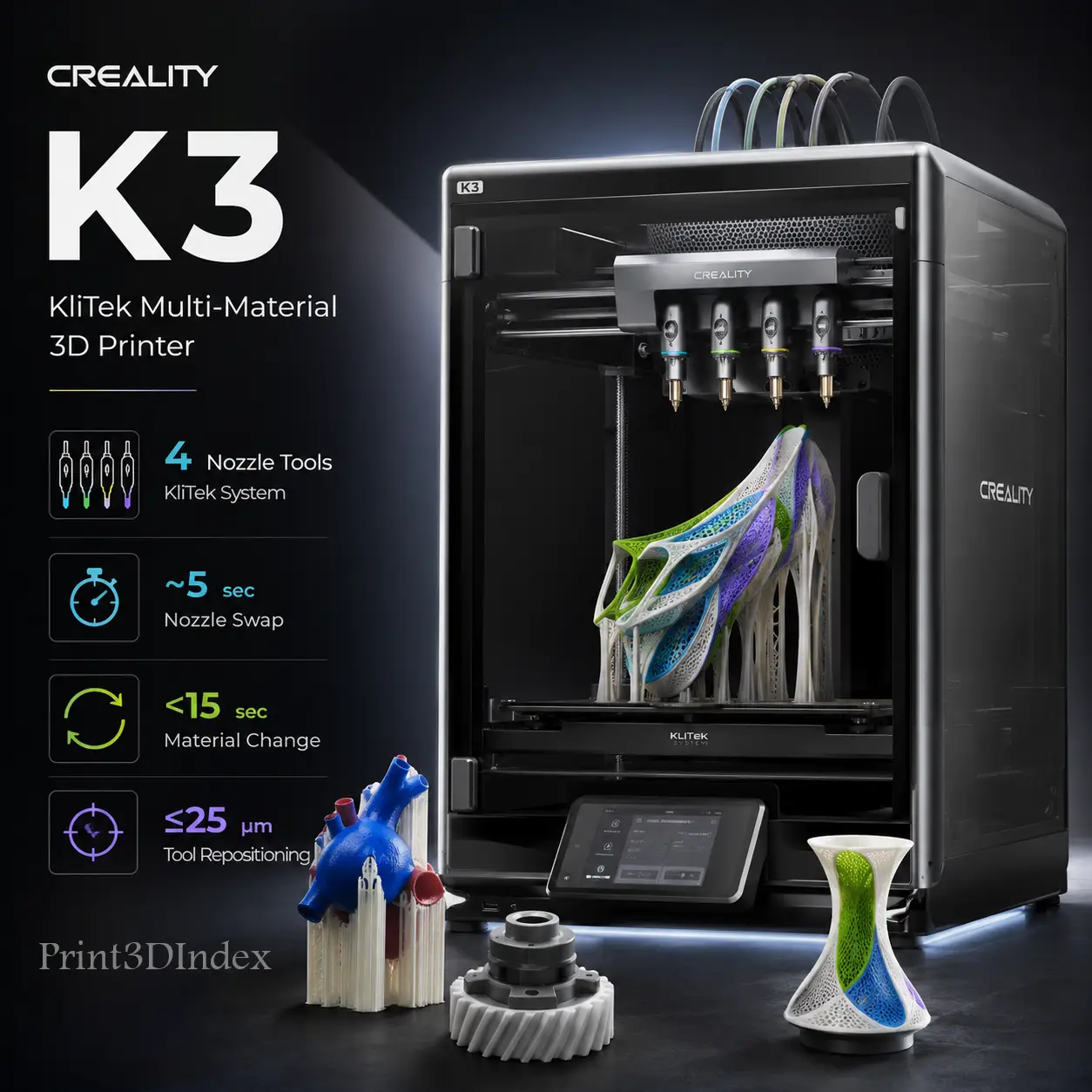
Nozzle Changing 3D PrinterFour Nozzle System5-Second Tool SwitchingLow-Waste Multi-Material PrintingMixed Nozzle-Size PrintingFlexible TPU Multi-Material Support
CCreality
Creality
# Creality K3
The Creality K3 is an upcoming CoreXY multi-material 3D printer built around KliTek, Creality's automatic nozzle-changing system. Instead of repeatedly retracting several filaments through one shared melt path, KliTek parks and exchanges compact nozzle assemblies that contain the nozzle, hotend, and filament tube.
Creality currently targets the K3 Series for Q3 2026. Retail pricing and the complete final production specification sheet have not yet been announced.
The KliTek concept centers on four-channel multi-color and multi-material printing, fast nozzle exchanges, greatly reduced purge waste, flexible-filament handling, and different nozzle diameters within one job. Creality states that a nozzle exchange takes under 5 seconds, while a complete color or material change takes under 15 seconds.
For current information, see the official Creality K3 / KliTek campaign and Creality's KliTek FAQ. For broader context, see Best Tool-Changing 3D Printers in 2026.
| Specification | Current Published Detail |
|---|---|
| Multi-material architecture | Multi-channel automatic nozzle changing |
| K3 release window | Q3 2026 |
| Nozzle change time | Under 5 seconds |
| Complete color/material change | Under 15 seconds |
| Repositioning specification | 25 µm XYZ after nozzle changes |
| Sensor network | 37 sensors |
| Tool-change sensors | 12 dedicated sensors |
| Flexible-filament feeder | S-Drive dual-drive system |
| Softest demonstrated TPU | 80A Shore hardness |
| TPU 95A flow | Up to 15 mm³/s in Creality lab testing |
| TPU 85A flow | 3 mm³/s continuous in Creality comparison |
| Demonstrated nozzle combination | 0.4 mm outer walls + 0.8 mm infill |
| Software optimization | Creality Print |
| Purge strategy | Separate nozzle paths; minimal prime tower may remain |
| Filament-use claim | Up to 80% lower in Creality's comparison test |
Resolution note: The 25 µm value describes nozzle repositioning after a tool change. It is not a universal finished-part dimensional-accuracy specification.
Creality's public K3 campaign currently focuses on KliTek rather than a complete conventional printer specification.
Pre-release reporting based on a Creality product-expert interview describes the base K3 as a CoreXY machine with an approximately 260 × 260 × 260 mm build volume. The same reporting mentions Klipper-based firmware, 0.2 / 0.4 / 0.8 mm nozzle options, and no active chamber heater on the base model.
Those details are useful when comparing the K3 with current machines, but final production specifications can still change before retail release. The most firmly published facts today are the KliTek architecture, Q3 2026 window, change-time claims, TPU capability, mixed 0.4/0.8 mm workflow, repositioning specification, and sensor network.
KliTek does not park an entire heavy printhead. Each swappable assembly contains the essential material path:
Creality says the swapped assembly weighs about one-fifth of a complete toolhead. Because each parked assembly retains its own hotend path, it can be prepared before the next change instead of forcing one nozzle to unload, reload, and flush several materials.
This architecture sits between two common approaches.
AMS, CFS, and similar feeders route several filaments through one hotend. They are compact and can scale to many colors, but changes may require retraction, loading, flushing, and purge structures.
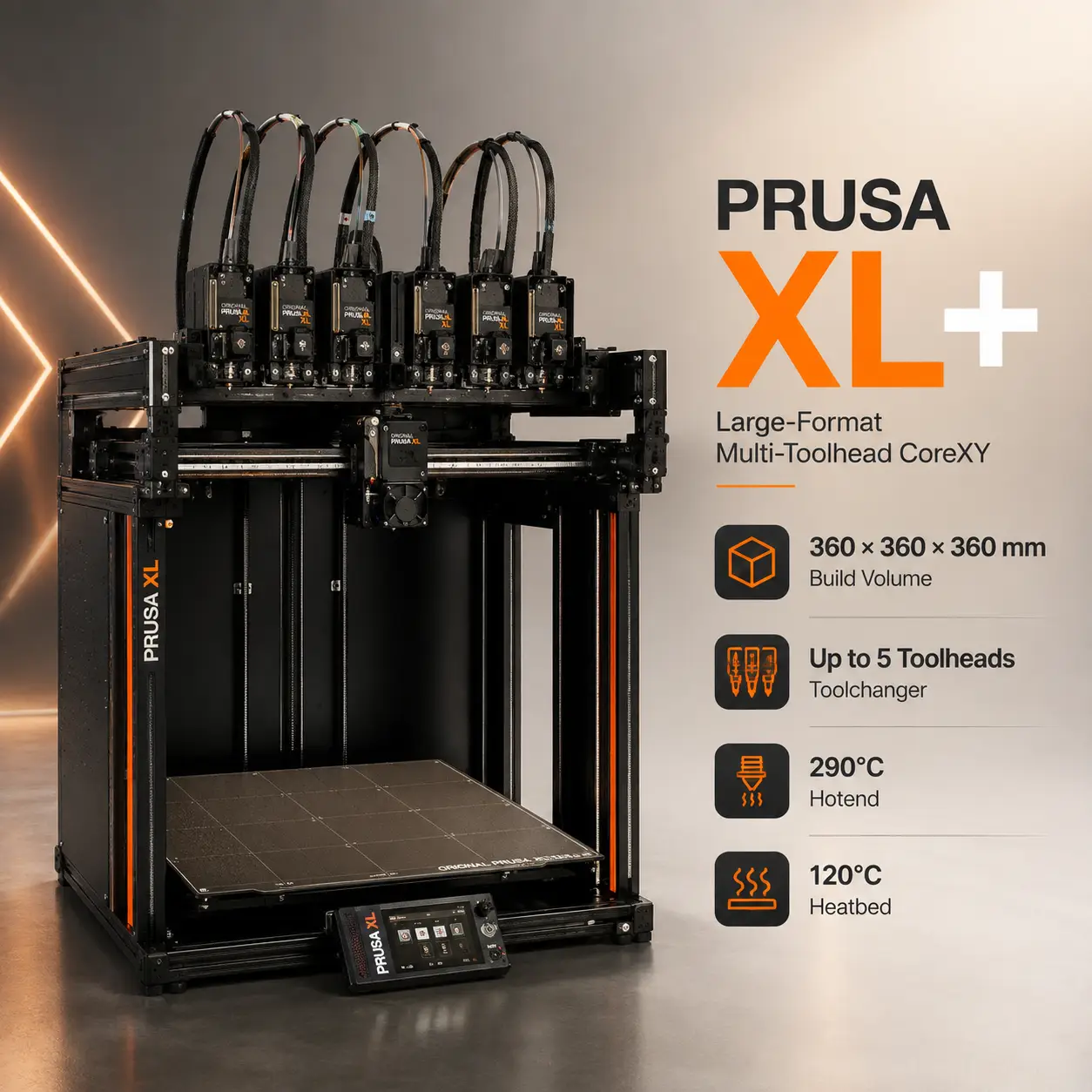
Printers such as the Snapmaker U1 and Prusa XL+ park complete toolheads. Each material keeps its own extruder, hotend, nozzle, and filament path.
KliTek changes a smaller hotend/nozzle assembly while keeping the main moving system compact. Creality's goal is to combine low purge waste with a lighter and less complex changing mechanism.
Creality markets KliTek as virtually waste-free because different materials no longer need to be fully flushed through one shared nozzle. The company also notes that a small prime tower may still be used.
In Creality's published comparison, KliTek used 39 g of filament versus 278 g for the compared single-nozzle workflow, which Creality summarizes as up to 80% lower total filament use per print.
That is a manufacturer's test rather than an independent universal result. Real savings depend on the number of changes, model geometry, prime settings, wiping, material pairing, color-contamination requirements, and slicer strategy.
The practical takeaway is that KliTek is designed to eliminate most shared-nozzle flushing, not every gram of non-model material.
Flexible materials are one of KliTek's most distinctive targets.
Creality demonstrates combinations using TPU 95A, 90A, 85A, and material as soft as 80A.
The company attributes this partly to its S-Drive dual-drive feed system, which is designed to control flexible filament through the feed path.
Creality also publishes:
These are volumetric-flow figures rather than conventional mm/s print speeds.
Separate flexible-material paths could be useful for soft grips, variable-stiffness prototypes, gaskets, wearable parts, flexible hinges, and multi-hardness footwear experiments.
For a typical flexible-filament reference, see Prusament TPU 95A.
KliTek can change more than material or color.
Creality officially demonstrates:
This allows a smaller nozzle to preserve surface detail while a larger nozzle increases throughput in internal regions.
Pre-release interview reporting also mentions a 0.2 mm option, but Creality's current campaign most clearly documents the 0.4 + 0.8 mm combination.
Creality demonstrates model-plus-support workflows using materials such as PLA and PVA.
Keeping support material in its own nozzle path can reduce cross-contamination and avoid repeatedly purging soluble material through the same hotend used for the model.
This can help with internal channels, complex undersides, cosmetic surfaces, support interfaces, and print-in-place assemblies.
PVA remains moisture-sensitive, so storage and drying still matter.
Creality specifies less than 25 µm XYZ repositioning after a nozzle exchange.
The platform uses 37 sensors, with 12 dedicated to the tool-changing process.
Accurate repositioning matters because tool-to-tool offsets can create visible color shifts, poor support interfaces, uneven material boundaries, or dimensional mismatch.
The 25 µm figure should therefore be read as a tool-change repeatability/repositioning specification, not overall printed-part accuracy.
| Printer | Multi-Material Approach | Build Volume | Independent Hotends / Tools | Key Advantage | Status |
|---|---|---|---|---|---|
| Creality K3 | KliTek nozzle changer | ~260 × 260 × 260 mm reported pre-release | 4 nozzle paths | Lightweight changes + TPU + mixed nozzle sizes | Coming Q3 2026 |
| Snapmaker U1 | SnapSwap full toolheads | 270 × 270 × 270 mm | 4 toolheads | Available four-tool low-waste platform | Available |
| Prusa XL+ | Active full toolchanger | 360 × 360 × 360 mm | Up to 5 toolheads | Large established toolchanging platform | Shipping from Aug 2026 |
| Bambu Lab H2D | Dual nozzles + AMS | Up to 350 × 320 × 325 mm total space | 2 hotends | Enclosed engineering workflow | Available |
| Creality K2 Plus | Single nozzle + CFS | 350 × 350 × 350 mm | 1 hotend | Large heated chamber + up to 16 colors | Available |
K3's closest architectural rivals are U1 and XL+, because all three avoid routing every material through one shared melt path. H2D and K2 Plus are useful comparisons when enclosure, high-temperature materials, or larger build volume matter more.
The Creality K3 vs Snapmaker U1 comparison is the most direct current matchup.
The indexed Snapmaker U1 uses four complete SnapSwap toolheads, each with its own extruder, hotend, nozzle, and filament path. It provides a 270 × 270 × 270 mm build volume, 500 mm/s maximum toolhead speed, 300°C hotends, 100°C bed, camera monitoring, automatic tool-offset calibration, and approximately five-second toolhead changes.
K3 is reported to be around a 260 mm cube and also targets roughly five-second changes, but it swaps a much lighter nozzle/hotend assembly rather than the entire toolhead.
K3's strongest differentiators are soft TPU down to 80A, the 15 mm³/s TPU 95A lab result, mixed nozzle diameters, and Creality's 25 µm repositioning claim.
U1's strongest advantage is availability and documentation: production specifications, software, calibration, temperatures, camera, motion data, and material compatibility are already published.
Choose Snapmaker U1 when you need a four-tool machine today. Worth waiting for Creality K3 when flexible materials, mixed nozzle sizes, and the lighter KliTek concept are worth waiting for.
The Creality K3 vs Prusa XL+ comparison is compact next-generation nozzle changing versus a large established toolchanger.
The indexed Prusa XL+ provides a 360 × 360 × 360 mm build volume and supports one, two, or five independent Nextruder tools.
Each XL+ tool keeps its own extruder, hotend, nozzle, and filament path, making it strong for soluble supports, rigid/flexible combinations, different nozzle sizes, multi-color work, and low-purge production. XL+ also uses a 120°C segmented heatbed and supports an optional enclosure.
Choose Prusa XL+ for large-format parts, up to five complete tools, an established ecosystem, and mature multi-material workflows. Worth waiting for K3 if compact size, lightweight changes, soft TPU, and a potentially lower entry price matter more.
The Creality K3 vs Bambu Lab H2D comparison is four lightweight nozzle paths versus a premium enclosed dual-nozzle platform.
The indexed Bambu Lab H2D uses two independently controlled hotends plus optional AMS systems. It provides up to 350 × 320 × 325 mm total accessible space, 350°C hotends, a 120°C bed, and a 65°C actively heated chamber.
H2D is therefore much stronger for larger ABS, ASA, PA, PC, PPA, PPS, and reinforced engineering-material parts.
K3 is more focused on four-channel material flexibility, fast nozzle changes, soft TPU, and mixed nozzle diameters.
Choose H2D when engineering materials, enclosure control, and a mature premium ecosystem matter most. Worth waiting for K3 if four material paths, TPU, and reduced multi-color purge are the priority.
The Creality K3 vs Creality K2 Plus comparison is especially relevant for buyers staying within Creality's ecosystem.
The indexed Creality K2 Plus uses a conventional single-nozzle CFS workflow. It provides a much larger 350 × 350 × 350 mm build volume, 350°C hotend, 120°C bed, 60°C active chamber, and expansion to as many as 16 CFS-fed colors.
K2 Plus is stronger for large engineering parts and chamber-dependent materials.
K3 uses fewer simultaneous material paths but avoids routing all colors through one melt path, which should reduce purge waste and make different TPU hardnesses or nozzle diameters more practical.
Choose K2 Plus for build size, active chamber heating, and up to 16 colors. Worth waiting for K3 when low-waste four-material printing, flexible materials, and fast nozzle exchanges are more important.
A major K3 buying question is whether nozzle changing is better than CFS or AMS-style filament switching.
The right choice depends on whether the priority is many colors or different material behaviors with low purge waste.
The wider tool-changing market is moving quickly.
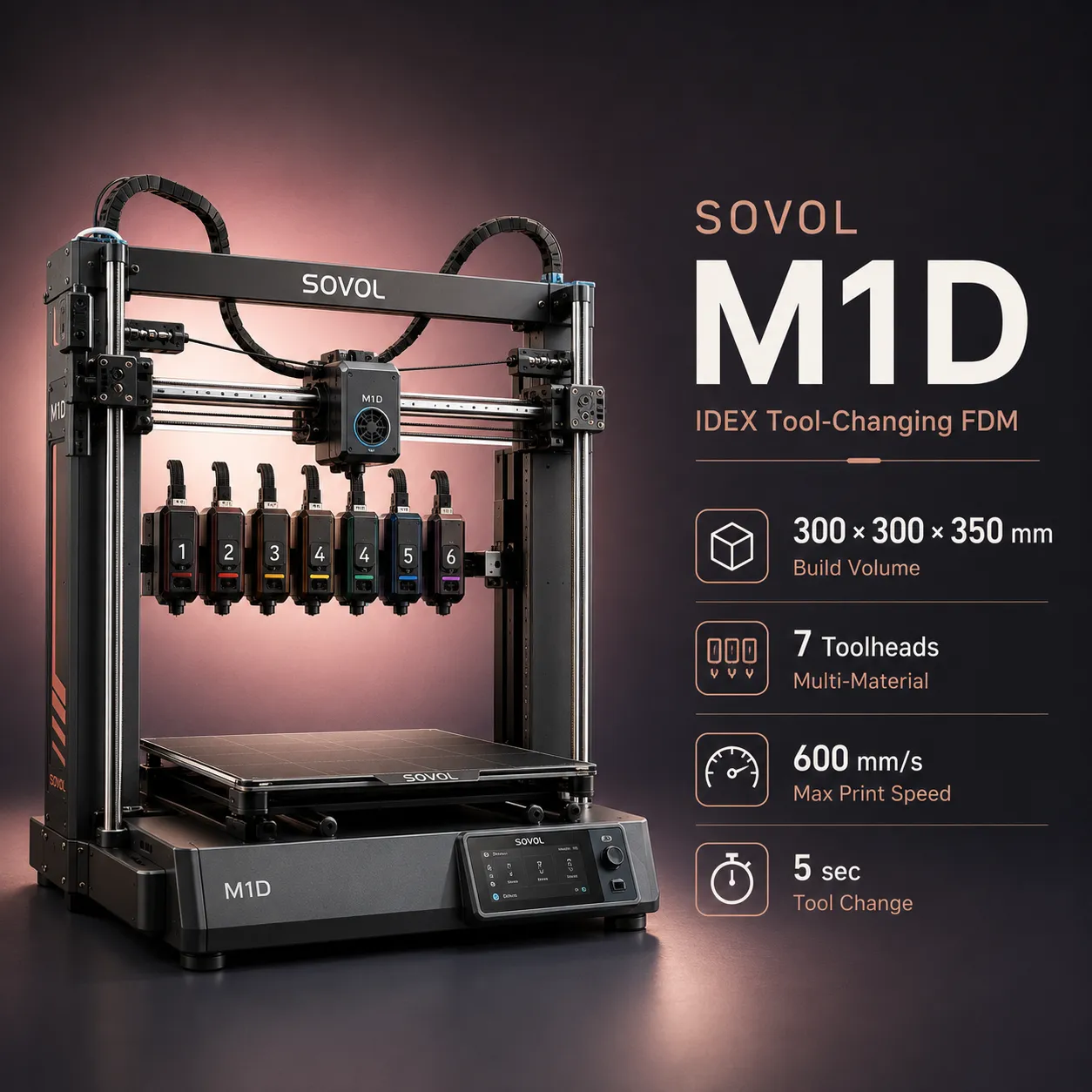
The indexed AxiLoop MC8 targets eight tool positions, while Sovol M1D combines IDEX operation with swappable-tool concepts.
These systems emphasize higher tool counts, while K3's current story is focused on compact four-channel KliTek swapping, TPU performance, and mixed nozzle sizes.
For a structured overview, see Best Tool-Changing 3D Printers in 2026.
Creality currently states K3 | Coming Q3 2026.
An upcoming Creality CoreXY multi-material printer built around the KliTek automatic nozzle-changing system.
Creality currently lists Q3 2026, but no exact retail launch date is published.
Creality has not announced the retail price.
Creality presents KliTek around a four-channel multi-color and multi-material workflow.
Creality's current FAQ states under 5 seconds.
Creality states under 15 seconds.
Yes. Separate nozzle paths eliminate most shared-nozzle flushing, although a small prime tower may still be used.
Yes. Creality demonstrates several TPU hardnesses and states that KliTek can handle TPU down to 80A.
Up to 15 mm³/s with TPU 95A in Creality lab testing.
Yes. Creality officially demonstrates 0.4 mm outer walls combined with 0.8 mm infill.
It is Creality's XYZ repositioning figure after nozzle changes, not overall finished-part dimensional accuracy.
Pre-release product-expert reporting describes a 260 × 260 × 260 mm build volume. Creality has not yet published the complete final production specification.
Pre-release reporting says the base K3 does not have active chamber heating, but final production specifications are still pending.
Both target low-waste four-path multi-material printing. U1 swaps full toolheads and is already available; K3 swaps lighter nozzle/hotend assemblies and emphasizes soft TPU and mixed nozzle sizes.
XL+ is much larger and supports up to five complete toolheads. K3 is a compact four-channel concept focused on fast lightweight swaps.
K2 Plus is a large enclosed single-nozzle CFS printer with up to 16 colors. K3 uses four separate nozzle paths to reduce purge waste and improve mixed-material flexibility.